 Pizyn
Reactions & memes
"A surprised robot dropping its coffee, loop" — short, single-action scenes loop best.
AI tool · Powered by GPT Image 2.6
Describe a short scene and the motion you want — GPT Image 2.6 generates a native looping GIF directly. No video editor, no frame wrangling. This works because 2.6 is currently the only model in our lineup with native GIF output, so this tool routes to it automatically.
Your generation will appear here.
Try one of these:
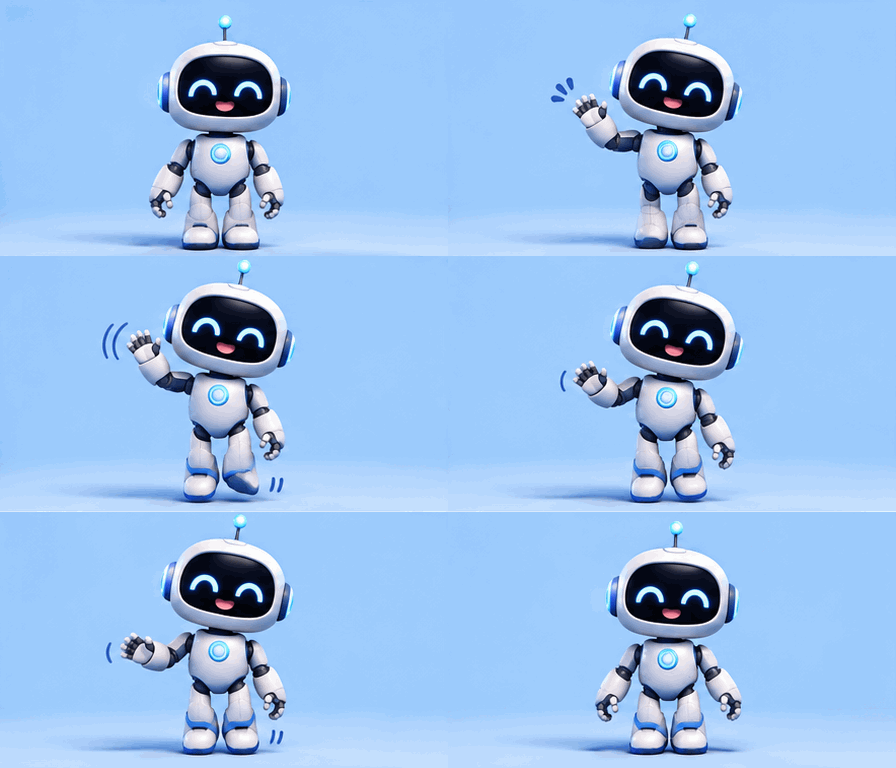


Both examples were generated with GPT Image 2.6 through this studio.
Most "AI GIF" tools secretly generate a video and convert it. This one doesn't: GPT Image 2.6 — the model behind this tool — generates the looping GIF natively, frame logic included, which is why loops come out clean instead of ping-ponging or warping at the seam.
Because generation is native, you can also start from a photo: upload it as a reference and describe the motion, and the subject animates in place. Reaction GIFs of your own pet or mascot are the most common use; product loops (steam, sparkle, rotation) are the most commercial one.
Click an example to load it into the tool above:
"A surprised robot dropping its coffee, loop" — short, single-action scenes loop best.
"Steam rising from a coffee cup beside a rotating croissant" — subtle motion reads premium.
Bouncing, sparkling or waving versions of a mascot for chats and social posts.
Need a still instead? Use the GPT Image 2.6 page or the Poster Maker.
| Job | Credits | Why |
|---|---|---|
| Draft GIF (low) | 5 | Testing a motion idea before committing |
| Standard GIF (medium) | 9 | The default for chat and social GIFs |
| Final GIF (high) | 10 | Publishing quality, smoother frames |
OpenAI has not published a separate GIF rate, so GIF generations currently ride the same credit ladder as stills on GPT Image 2.6 while we measure real token usage; a dedicated GIF tier will be published once calibrated. Full model pricing on the GPT Image 2.6 page.
One balance works across every tool and model on Pizyn. What each plan buys in GIF making:
990 credits
≈ 110 standard GIFs
1,990 credits
≈ 221 standard GIFs
3,990 credits
≈ 443 standard GIFs
One-time packs from $4.90 (490 credits, valid 12 months) arrive with the payments phase. Full plan comparison on the pricing page.
A real GIF. GPT Image 2.6 generates looping GIFs natively, which is why the loop seam stays clean instead of warping the way video-to-GIF conversions do.
Yes — attach it as a reference image and describe the motion. The subject animates in place; portraits, pets and product shots work best.
Short loops (roughly 1–3 seconds of motion) hold together best. Describe one simple action and a pose the scene can return to, and the loop stays seamless.
The same credit ladder as stills on GPT Image 2.6 — 5 credits for a draft, 9 standard, 10 at high quality. See the credits table above.
20 free credits land in your balance the moment you sign up. No card required.
or use email
Already have an account? Sign in